Every project / Games
🧱 Brick Breaker
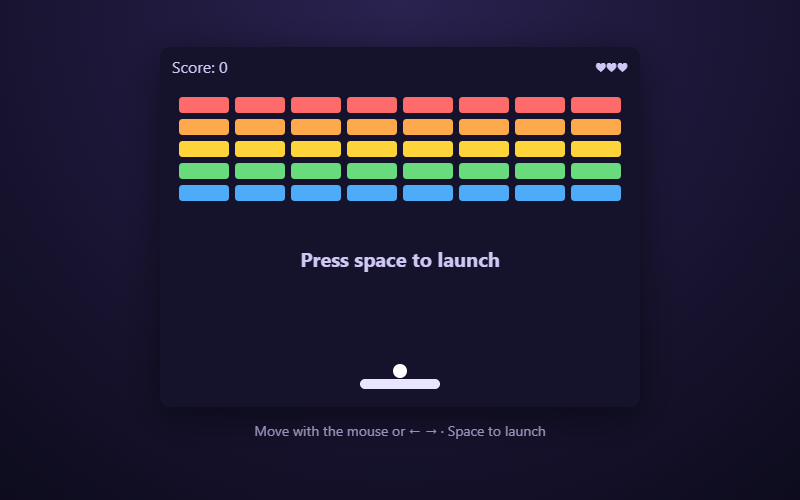
Bounce the ball, smash every brick. Aim with where it hits the paddle.
- Language
- HTML, CSS & JavaScript
- Level
- Intermediate
- Category
- Games
What you'll learn
- requestAnimationFrame
- Collision detection
- Velocity & angles
- Mouse + keyboard input
- Objects & arrays
How it works
- requestAnimationFrame runs update() then draw() about 60 times a second.
- The ball has a position (x, y) and a velocity (dx, dy). Hitting a wall flips dx or dy.
- Where the ball lands on the paddle sets the bounce angle (up to 60°), and every paddle hit speeds it up a little.
- Bricks are objects in an array with an alive flag. A hit sets alive to false and bounces the ball.
Knobs to turn
These settings are near the top of the code. Remix it, change one, and watch what happens. The preview updates as you type.
| Setting | Starts at | File | What it does |
|---|---|---|---|
ROWS | 5 | game.js | rows of bricks |
COLS | 8 | game.js | bricks in each row |
BRICK_W | 50 | game.js | brick width in pixels |
BRICK_H | 16 | game.js | brick height in pixels |
GAP | 6 | game.js | space between bricks |
TOP | 50 | game.js | space above the first row |
START_SPEED | 4 | game.js | how fast the ball starts |
Files
| File | Lines | |
|---|---|---|
index.html | 14 | the page: what shows up |
game.js | 175 | what it does |
style.css | 25 | how it looks |
Challenges
Each one is a bit harder than the last. Teachers: these make good assignment instructions.
- Give each row of bricks a different point value.
- Make some bricks take two hits (change color after the first).
- Add a power-up that drops from a brick and makes the paddle wider.
- Build level 2 with a different brick pattern once level 1 is cleared.
- Add a second ball that splits off when you hit a special brick.