Every project / Art & Animation
🎆 Fireworks
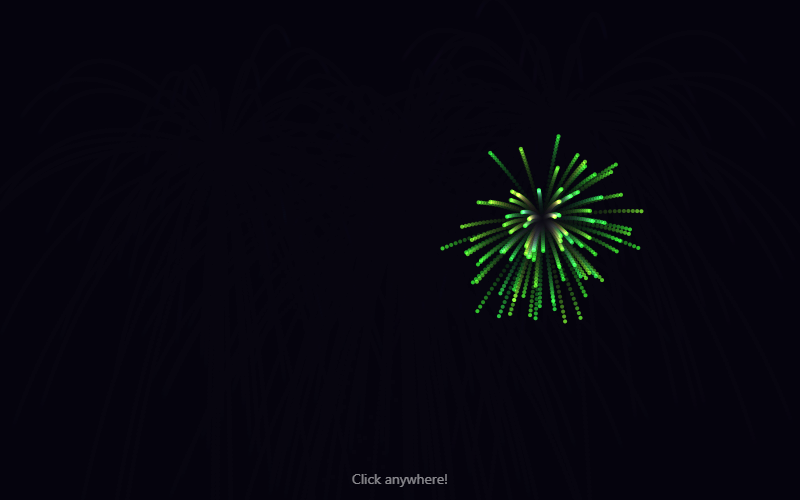
Click anywhere to launch a firework. Hundreds of glowing particles, a few lines of physics.
- Language
- HTML, CSS & JavaScript
- Level
- Beginner
- Category
- Art & Animation
What you'll learn
- Particle systems
- Gravity & friction
- HSL colors
- Trails with transparency
- Mouse clicks
How it works
- A click launches a rocket that eases toward where you clicked, then bursts into 90 sparks.
- Each spark has its own speed and direction. Gravity pulls it down and friction slows it.
- Every frame erases a little of the last picture (destination-out), which leaves glowing trails.
- The 'lighter' blend mode adds overlapping sparks together, so busy spots glow brighter.
Knobs to turn
These settings are near the top of the code. Remix it, change one, and watch what happens. The preview updates as you type.
| Setting | Starts at | File | What it does |
|---|---|---|---|
SPARKS | 90 | fireworks.js | sparks per explosion |
GRAVITY | 0.06 | fireworks.js | how fast sparks fall |
FRICTION | 0.985 | fireworks.js | 1 = sparks never slow down |
AUTO_EVERY | 1500 | fireworks.js | ms between automatic fireworks (0 = off) |
Files
| File | Lines | |
|---|---|---|
index.html | 19 | the page: what shows up |
fireworks.js | 86 | what it does |
Challenges
Each one is a bit harder than the last. Teachers: these make good assignment instructions.
- Change how many sparks each firework makes.
- Set AUTO_EVERY to 200 for a finale, then make the finale stop after 10 seconds.
- Give each firework two colors instead of one.
- Make a firework that explodes into a heart or star shape.
- Add a crackle: sparks that split into smaller sparks when they fade.