Every project / Games
🐍 Snake
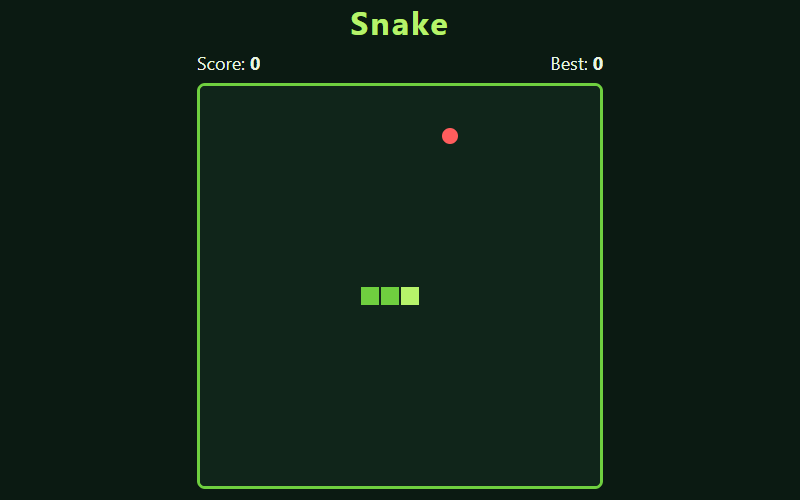
The classic: eat the food, grow longer, don't bite yourself.
- Language
- HTML, CSS & JavaScript
- Level
- Beginner
- Category
- Games
What you'll learn
- Canvas drawing
- Arrays
- Keyboard events
- Game loops
- localStorage
How it works
- The board is a 20×20 grid. The snake is a list of squares, head first.
- Every 120 ms, step() adds a new head in the direction you're going. If the snake didn't eat, it drops the tail, which makes it look like it's sliding along.
- Arrow keys go into a queue, so two quick presses both count, and you can't turn straight back into yourself.
- Hitting a wall or your own body ends the game. Your best score is saved with localStorage.
Knobs to turn
These settings are near the top of the code. Remix it, change one, and watch what happens. The preview updates as you type.
| Setting | Starts at | File | What it does |
|---|---|---|---|
SIZE | 20 | game.js | squares per side |
SPEED | 120 | game.js | milliseconds per move (smaller = faster) |
Files
| File | Lines | |
|---|---|---|
index.html | 21 | the page: what shows up |
game.js | 106 | what it does |
style.css | 38 | how it looks |
Challenges
Each one is a bit harder than the last. Teachers: these make good assignment instructions.
- Change the colors of the snake and the food.
- Make the snake speed up a little every time it eats.
- Add a golden apple that appears sometimes and is worth 5 points.
- Let the snake wrap around to the other side instead of hitting the walls.
- Add walls or obstacles in the middle of the board.