Every project / Music & Sound
🎹 Synth Keys
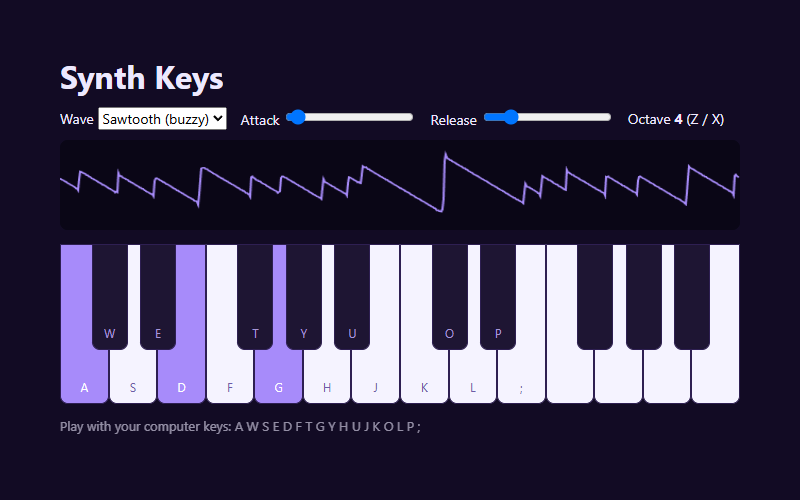
Play a synthesizer with your keyboard. Pick a waveform and watch the sound wave live.
- Language
- HTML, CSS & JavaScript
- Level
- Beginner
- Category
- Music & Sound
What you'll learn
- Web Audio oscillators
- Frequencies & musical notes
- Keyboard events
- Drawing a live waveform
- Maps & objects
How it works
- Every key is a note number. Its frequency is 440 × 2 ^ (semitones from A / 12), the math behind every piano.
- Pressing a key starts an oscillator with a quick fade in, and letting go fades it out (the attack and release sliders).
- A Map keeps track of which notes are playing, so you can hold down chords.
- An AnalyserNode reads the real sound coming out, which is drawn as the live waveform.
Knobs to turn
These settings are near the top of the code. Remix it, change one, and watch what happens. The preview updates as you type.
| Setting | Starts at | File | What it does |
|---|---|---|---|
TOTAL | 24 | synth.js | keys on the keyboard (24 = two octaves) |
Files
| File | Lines | |
|---|---|---|
index.html | 31 | the page: what shows up |
style.css | 86 | how it looks |
synth.js | 125 | Two octaves of notes. Each step up is one semitone; 12 semitones = one octave (double the frequency) |
Challenges
Each one is a bit harder than the last. Teachers: these make good assignment instructions.
- Change the starting octave, then add a third octave of keys.
- Add a volume slider.
- Make a "chord" button that plays three notes at once.
- Record the notes you play and add a Play Back button.
- Add an echo effect (look up DelayNode).