Every project / Art & Animation
🌌 Warp Speed
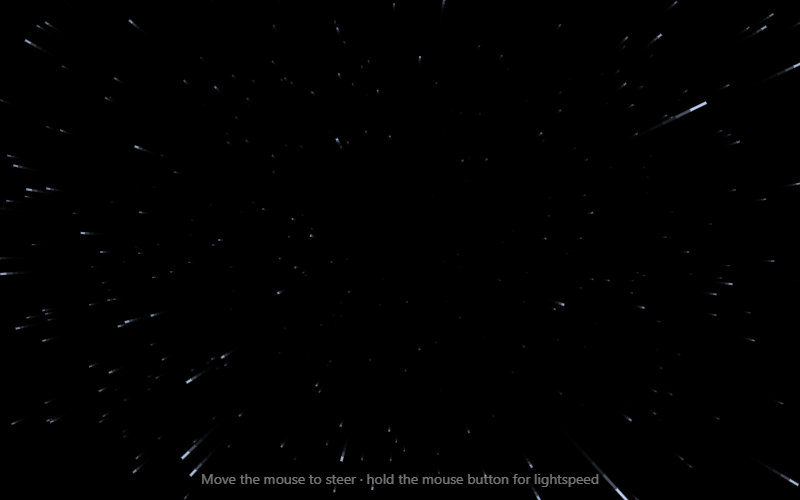
Fly through a 3D starfield. Move the mouse to steer, hold to go to lightspeed.
- Language
- HTML, CSS & JavaScript
- Level
- Intermediate
- Category
- Art & Animation
What you'll learn
- 3D perspective projection
- Animation loops
- Mouse position
- Easing
- Drawing lines
How it works
- Each star has x, y and z, where z is how far away it is. Every frame z shrinks, so stars fly toward you.
- Perspective: a star's screen position is x × (300 / z), so near stars spread out quickly.
- Each star draws a line from where it was to where it is now. At high speed those lines become streaks.
- Holding the mouse eases the speed up to lightspeed. Moving it shifts the point the stars fly out of.
Knobs to turn
These settings are near the top of the code. Remix it, change one, and watch what happens. The preview updates as you type.
| Setting | Starts at | File | What it does |
|---|---|---|---|
STAR_COUNT | 600 | stars.js | how many stars |
DEPTH | 1000 | stars.js | how far away stars start |
CRUISE | 4 | stars.js | normal speed |
LIGHTSPEED | 45 | stars.js | speed while holding the mouse |
Files
| File | Lines | |
|---|---|---|
index.html | 19 | the page: what shows up |
stars.js | 79 | what it does |
Challenges
Each one is a bit harder than the last. Teachers: these make good assignment instructions.
- Change the number of stars and their color.
- Make some stars bigger and brighter than others.
- Show your current speed on screen, like a spaceship dashboard.
- Add planets that fly past once in a while.
- Make pressing the arrow keys steer instead of the mouse.